
Glassdraw
Glassdraw is stained glass pattern software that draws and prints for the way you actually build: lead came or copper foil. Design your panel, see it lit from behind, and print a full-size pattern and cutting templates, ready to cut.
Pattern books draw lines with no width, so pieces cut to the line come out too big and have to be ground down. Glassdraw draws its lines at the width of your lead or foil, and shrinks every cutting template to allow for it.
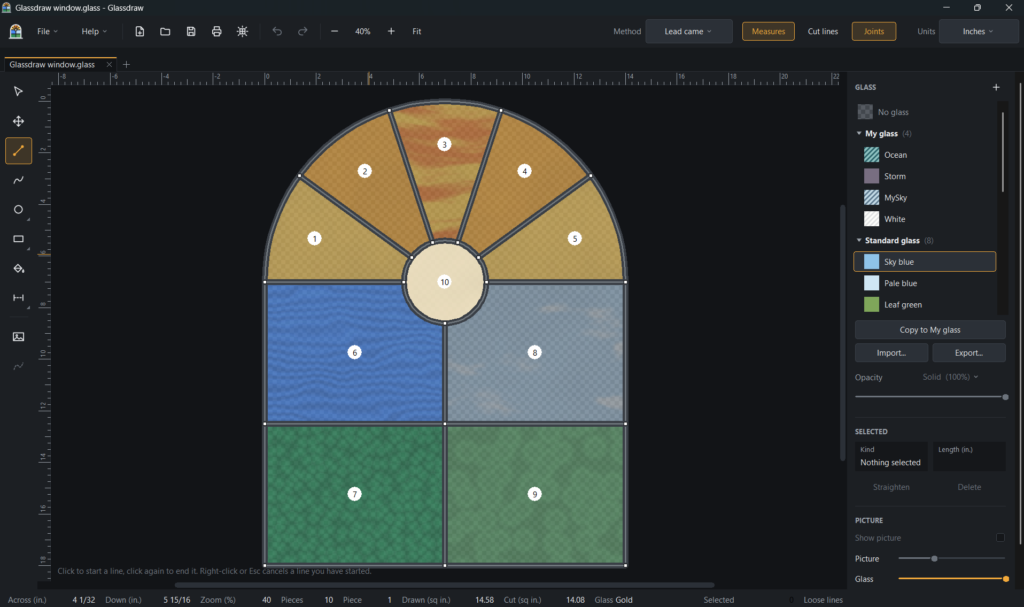
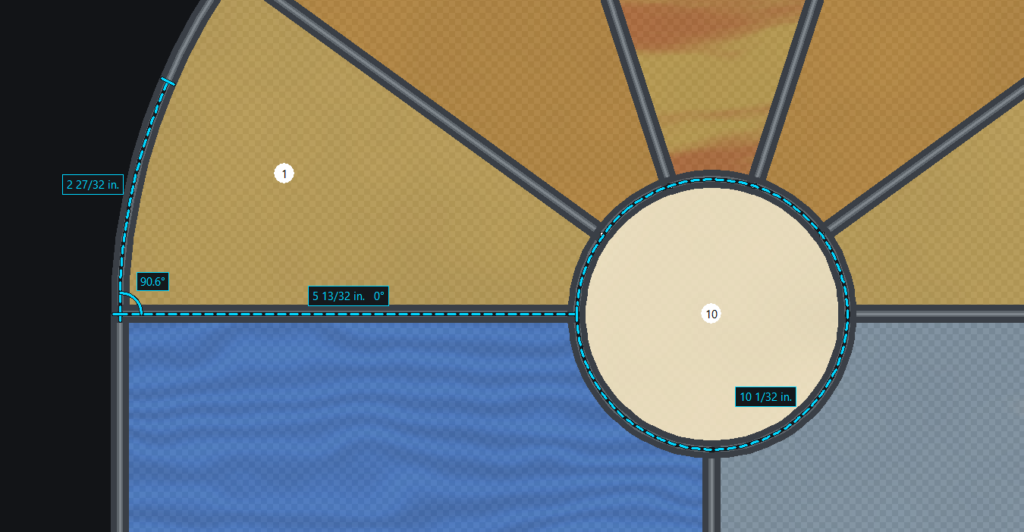
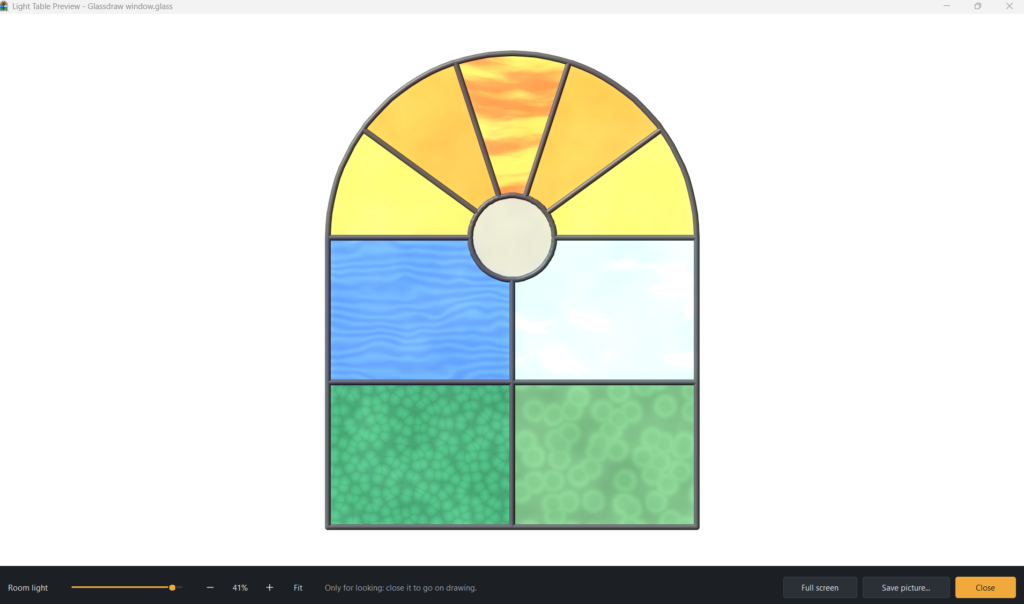
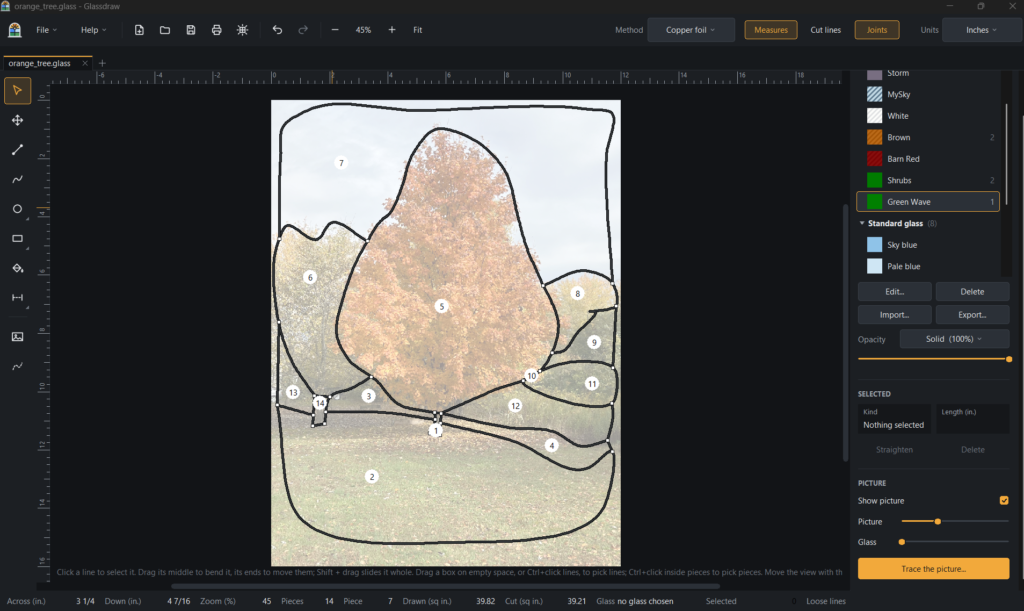
The editor and the light table preview
The sheets you need, full size
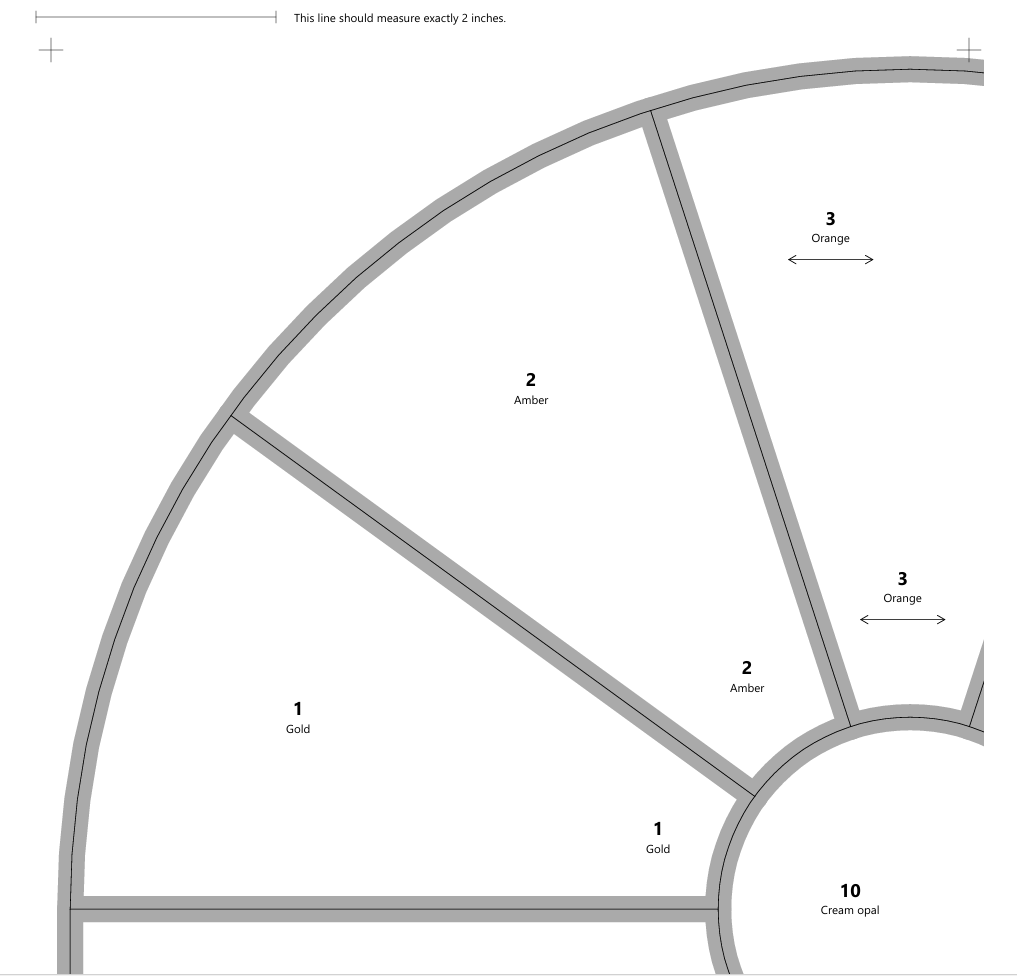
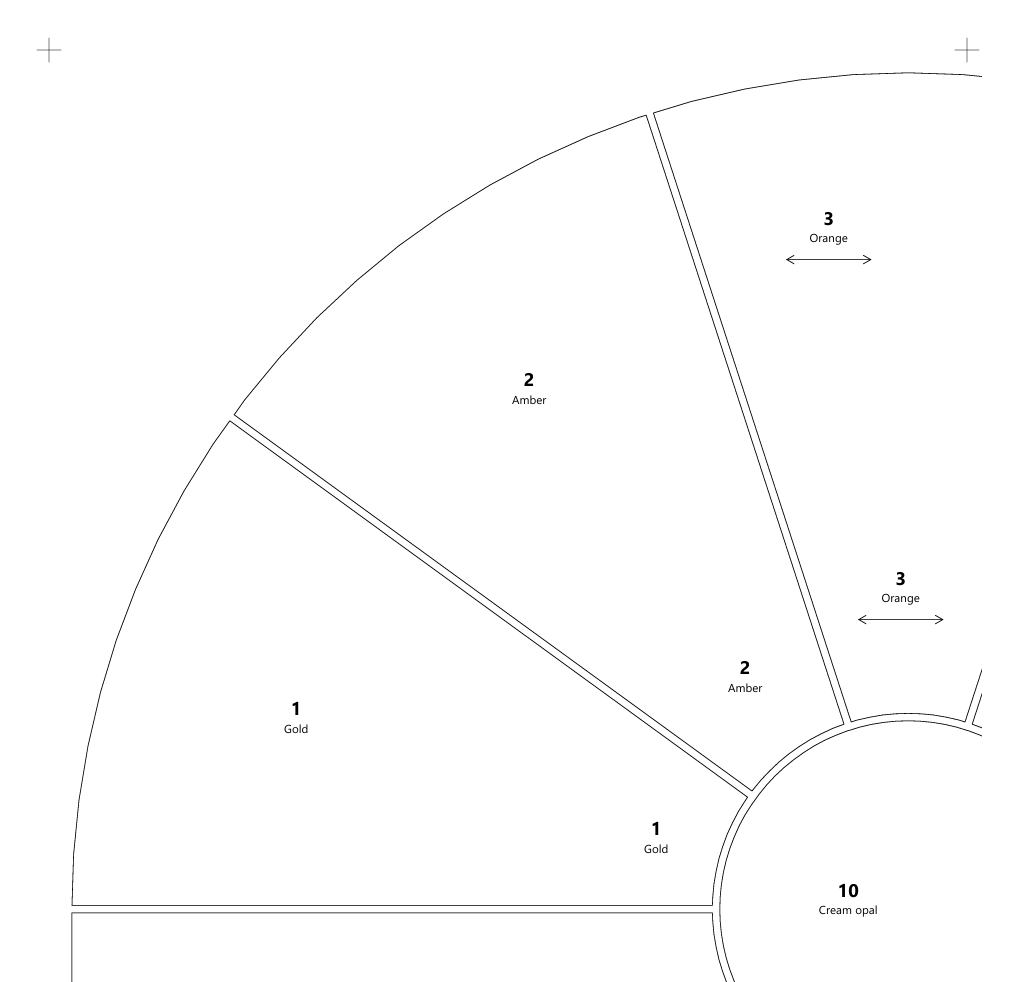
- The pattern, with lines drawn at 7/32″ for lead came or 3/32″ for copper foil.
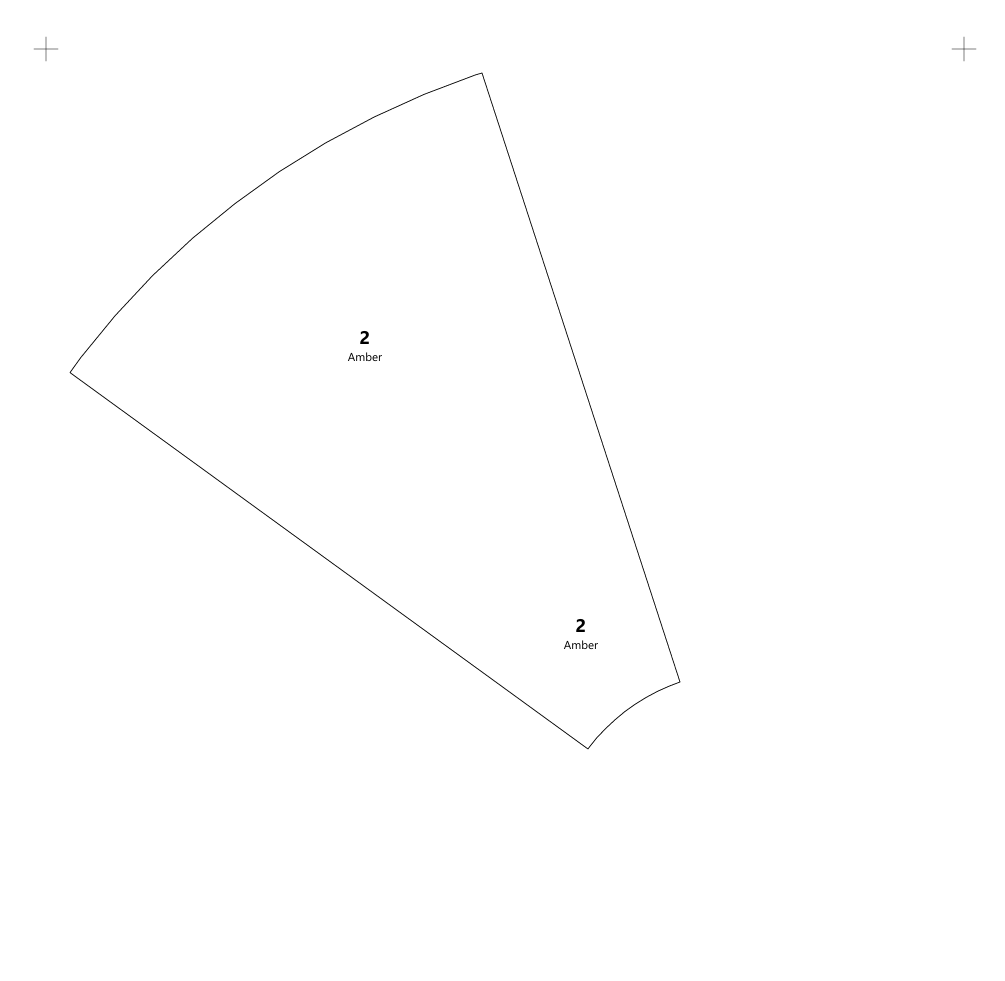
- Cutting templates, each piece shrunk to allow for the lead or foil, so you cut closer to the size you need and grind less. Print them in place, or spread apart in number order.
- Every piece numbered and labeled with its glass, with the grain direction marked as an arrow.
- Any size, on any printer. Large patterns print across several pages, with overlap and alignment marks to line them up.
- A 2-inch check line on the first page, so you can confirm your printer isn’t shrinking the pattern.
Draw it, or trace it
- Draw your lead lines with lines, curves, circles, and rectangles. Glassdraw finds the pieces on its own, wherever your lines close off an area.
- Trace a picture. Load a photo or drawing behind your pattern and draw over it. A clean line drawing can be traced automatically into lines and curves you can edit.
- Measure as you go. Lay rulers on your pattern to check lengths and angles. They never print.
- Undo every step, group pieces together, and keep several patterns open at once.
- Inches or millimeters, chosen for each pattern.

Design with the glass you actually have
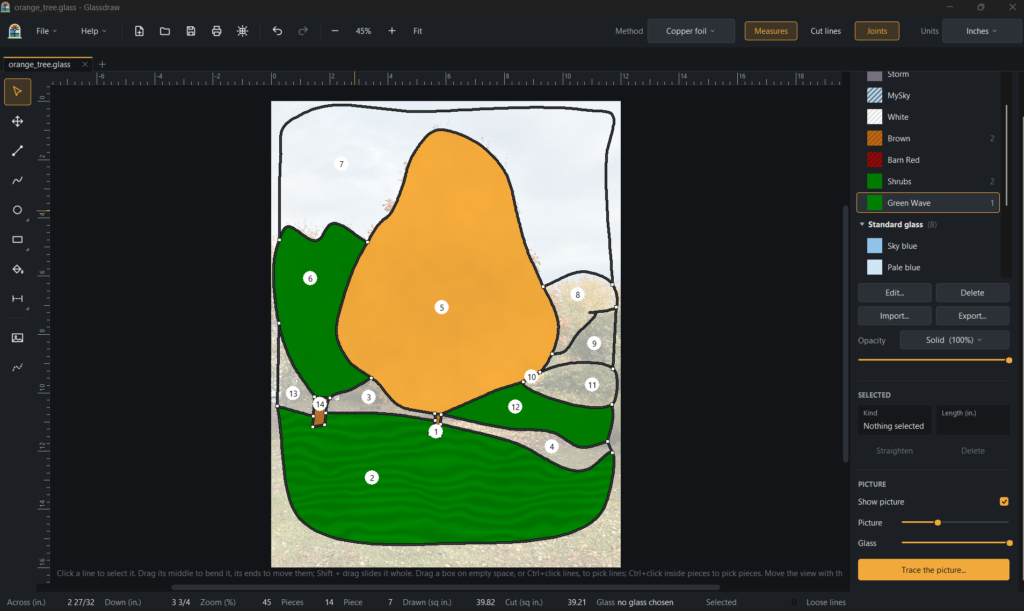
- Photograph your own sheets and fill pieces with them. Each piece is cut from its own spot on the sheet, the way it would be on your bench.
- Nine glass kinds to start with: plain, cathedral, rippled, hammered, seedy, streaky, wispy, opalescent, and mottled.
- Set the grain direction for each piece.
- Choose your seam finish: bare solder or lead, copper patina, or black patina.
- See it lit. In the light table preview, see-through glass glows, opalescent goes milky, and solid glass goes dark. A slider sets the room from dark to bright, and Save picture makes an image of the whole panel to show a customer.
Your glass library carries over from one pattern to the next, and you can share glass sets and patterns as files. A shared pattern opens exactly as you saved it.
The preview is a guide, not a promise. Real glass, and every screen, looks a little different.
Pay once, no subscription
$59, one time.
- Every 1.x update is included.
- Two Places at once. Need a license for the studio and one at home? Our license is for two installations. You could install it on the Windows computer at the studio and your Linux computer at home.
- The license follows your upgrades. Got a new computer? Enter your key, and it automatically moves over from the computer you’ve used least recently. No fees.
- Try it free first, with every feature, including saving and printing. The trial lasts for 14 days of use (only days you open Glassdraw count) or 60 openings, whichever comes first.
- 30-day refunds from the date you buy.
- Your patterns stay yours. Glassdraw never sends your patterns anywhere. If the trial ends before you buy, your patterns still open; you just can’t save changes until you enter a key.
Glassdraw works offline. A licensed copy connects to us once every 30 days to check its key.
Prices are in US dollars. Sales tax, where it applies, is added at checkout.
Teaching a class?
If you teach stained glass, in a studio, a community class, or a school, contact us about discounts for you and your students.
The free trial includes every feature, so students can also start learning before anyone buys.
Download the free trial
- Windows 10 and 11 (64-bit): Download for Windows
The first time you install, Windows may show “Windows protected your PC.” That’s because our installer isn’t signed yet. Click More info, then Run anyway. - Linux (64-bit): Download for Linux
Unpack the download and run./install.sh. It needs GTK 2, which most desktops already have. - Mac: coming. Ask us.
Glassdraw is only available from northfortsoftware.com.
Questions?
Glassdraw has a Getting Started guide built in. For anything else, contact us, including before you buy.